01 / No extra hardware
Use Android phones you already have.
Turn a spare phone into the Kiosk and avoid the cost and complexity of a dedicated biometric machine.
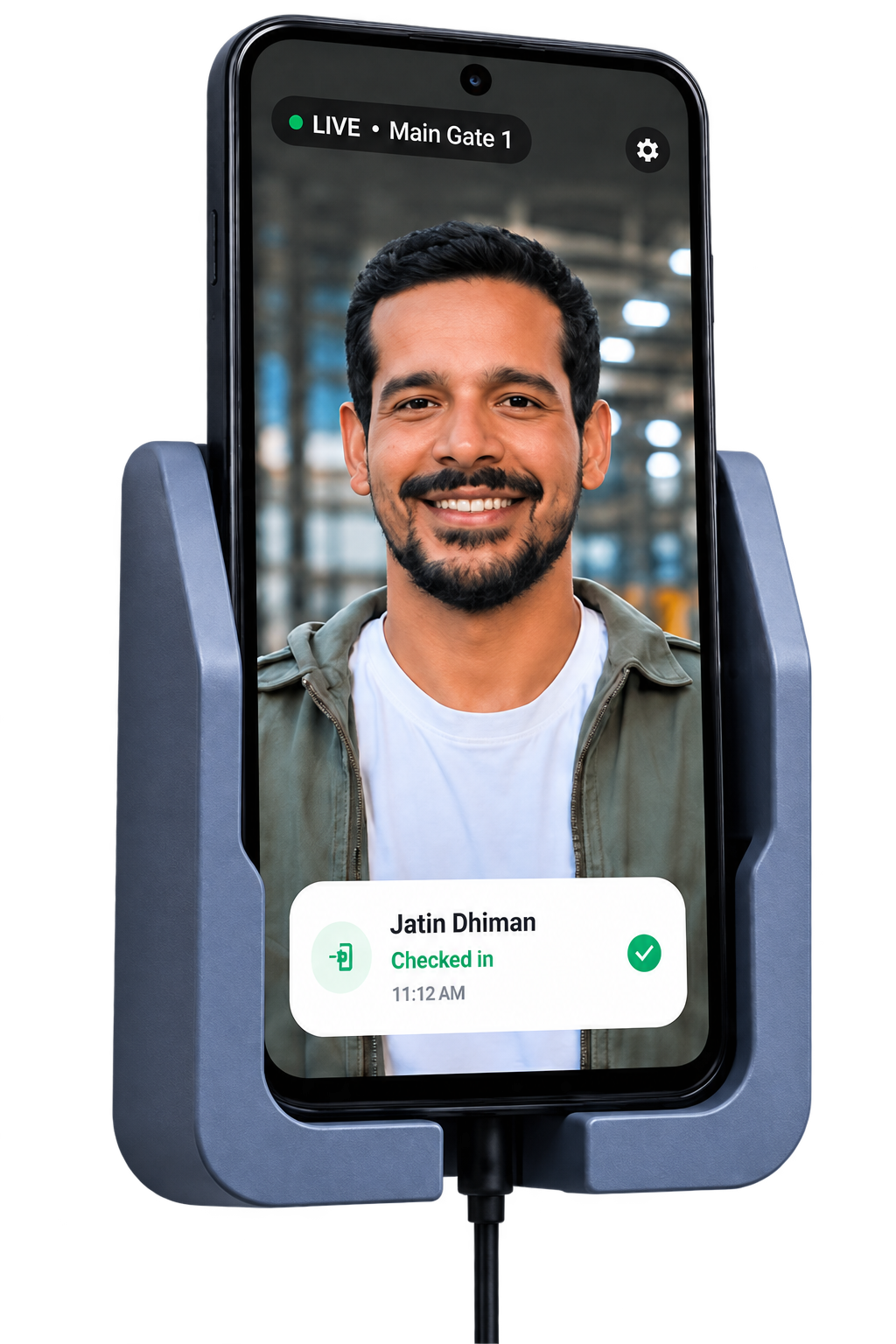
Keep one Android phone at the gate as your face-attendance kiosk. Manage employees, attendance, payroll and reports from Android Admin or Web Admin.
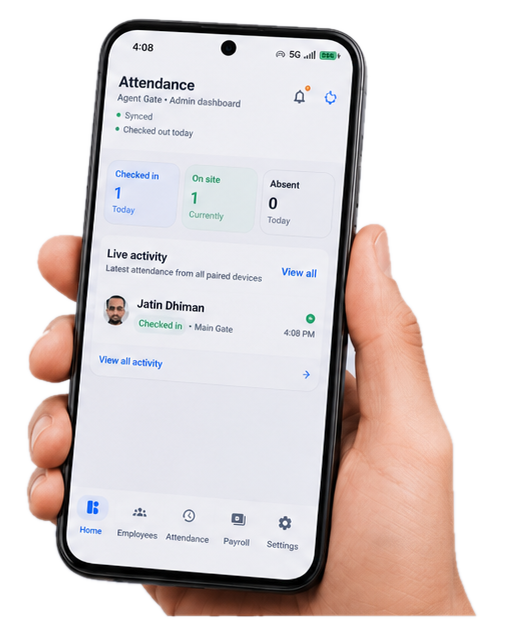
AttendGate helps businesses run face attendance with Android phones, clear admin controls and a setup that is easier than traditional biometric hardware.
Turn a spare phone into the Kiosk and avoid the cost and complexity of a dedicated biometric machine.
Keep attendance on one device at the entrance and manage employees, records and settings from Android Admin or Web Admin.
Beyond check-ins, AttendGate helps teams manage employee data, review attendance history and export useful records.
A simple two-role system keeps the daily experience clear for employees and practical for admins.
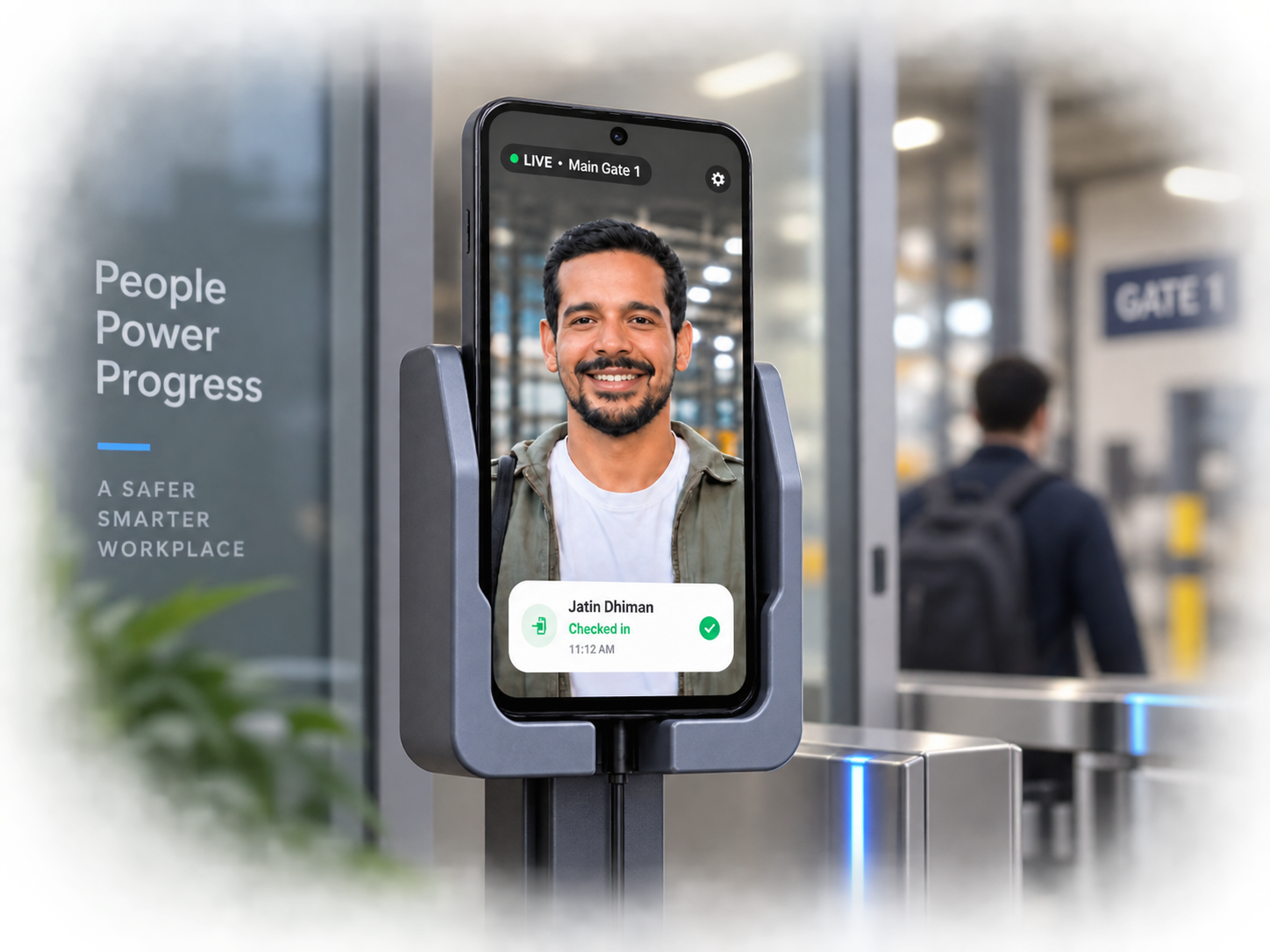
A spare Android becomes the Kiosk for face attendance. Keep it at the entrance and let employees check in and out in seconds.
Manage employees, attendance records, reports and settings from Android or the Web Admin.
Worked hours, attendance history and exports help the same system become useful beyond simple punch-ins.
The feature area is grouped by outcomes so business owners understand what the product does in seconds.
Fast employee check-in and check-out from a dedicated Android kiosk.
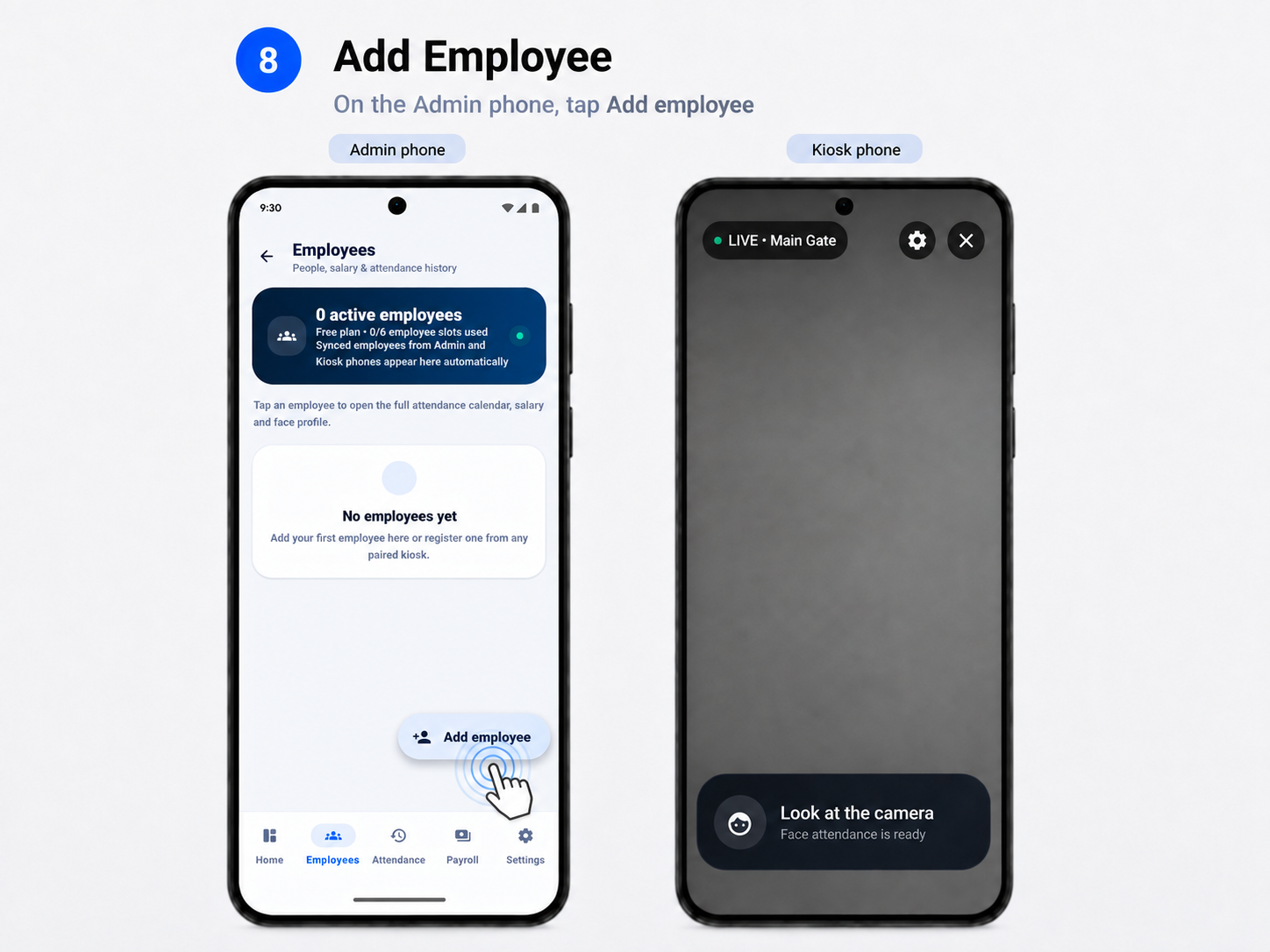
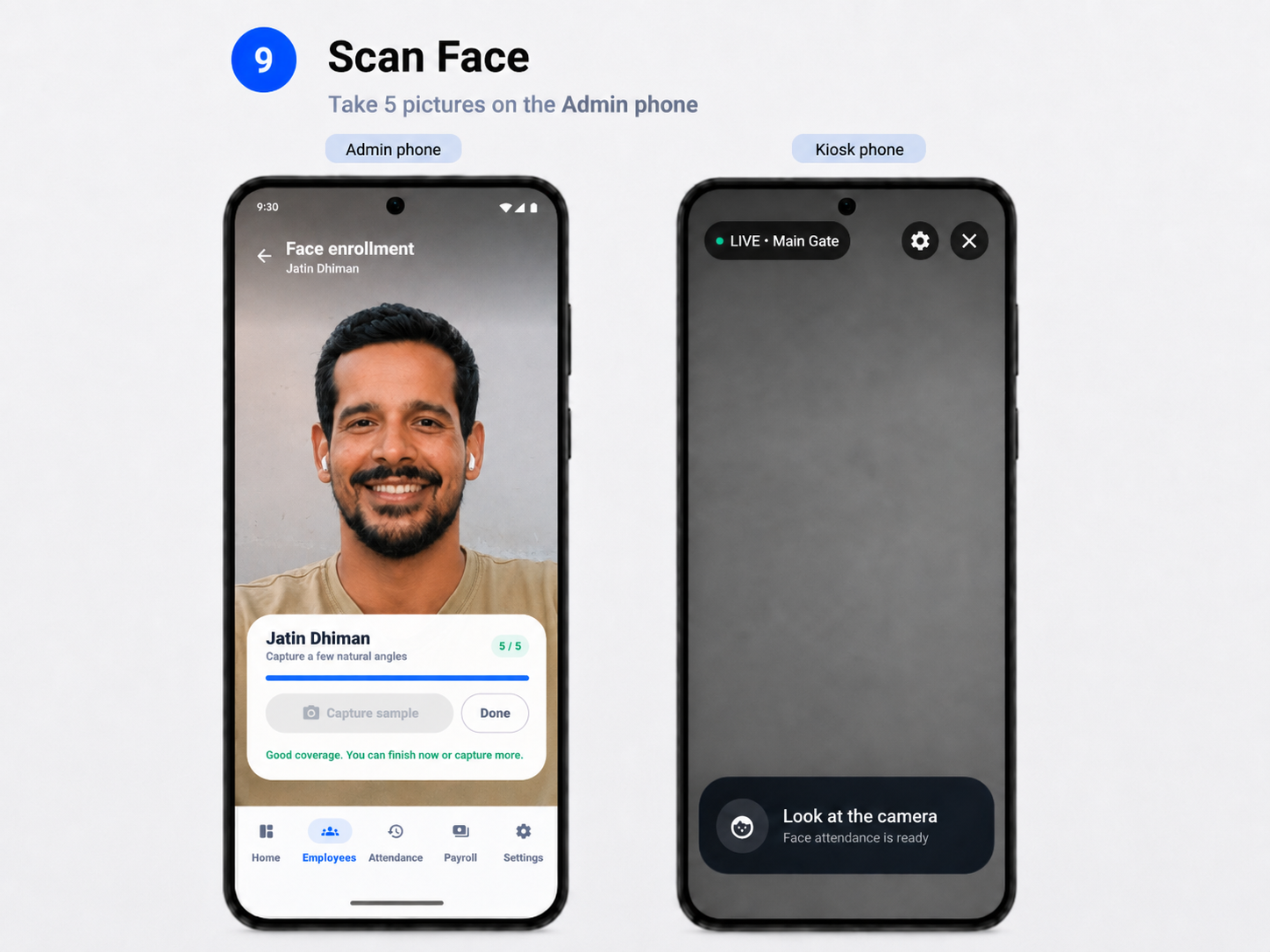
Add employees, review daily logs and manage attendance history from the Admin side.
Use worked hours, salary settings and overtime logic to support payroll workflows.
Generate Excel and PDF outputs that are useful beyond the app itself.
Admin and Kiosk devices can work together as one connected workplace.
Manage the same workplace in a modern browser without depending only on another Android phone.
AttendGate fits everyday teams that want a visible attendance point without installing dedicated biometric hardware.
Keep a simple attendance point at the counter or entrance and review staff attendance remotely.
Use a spare phone for attendance while keeping reports and payroll settings in one admin workflow.
Useful where one visible device at the gate is easier than hardware-heavy installations.
Start on the free plan and move up when you need higher employee capacity.
Keep device pairing, workplace access and attendance records under Admin control, with clear privacy and data-deletion information when you need it.
Get started free, then upgrade for larger teams and an ad-free kiosk experience.
A practical entry point for small workplaces that want the real AttendGate workflow.

Designed for teams that need more employee capacity and a cleaner kiosk experience.
*Reference India price. Google Play shows the final localized price, applicable taxes and renewal terms.
No. AttendGate is designed to use a compatible Android phone as the Kiosk.
You can start with an Admin phone and one Kiosk phone. The Kiosk stays at the entrance, while Admin manages the workplace.
Yes. Admins can use the Web Admin in a modern browser while a Kiosk phone stays at the entrance.
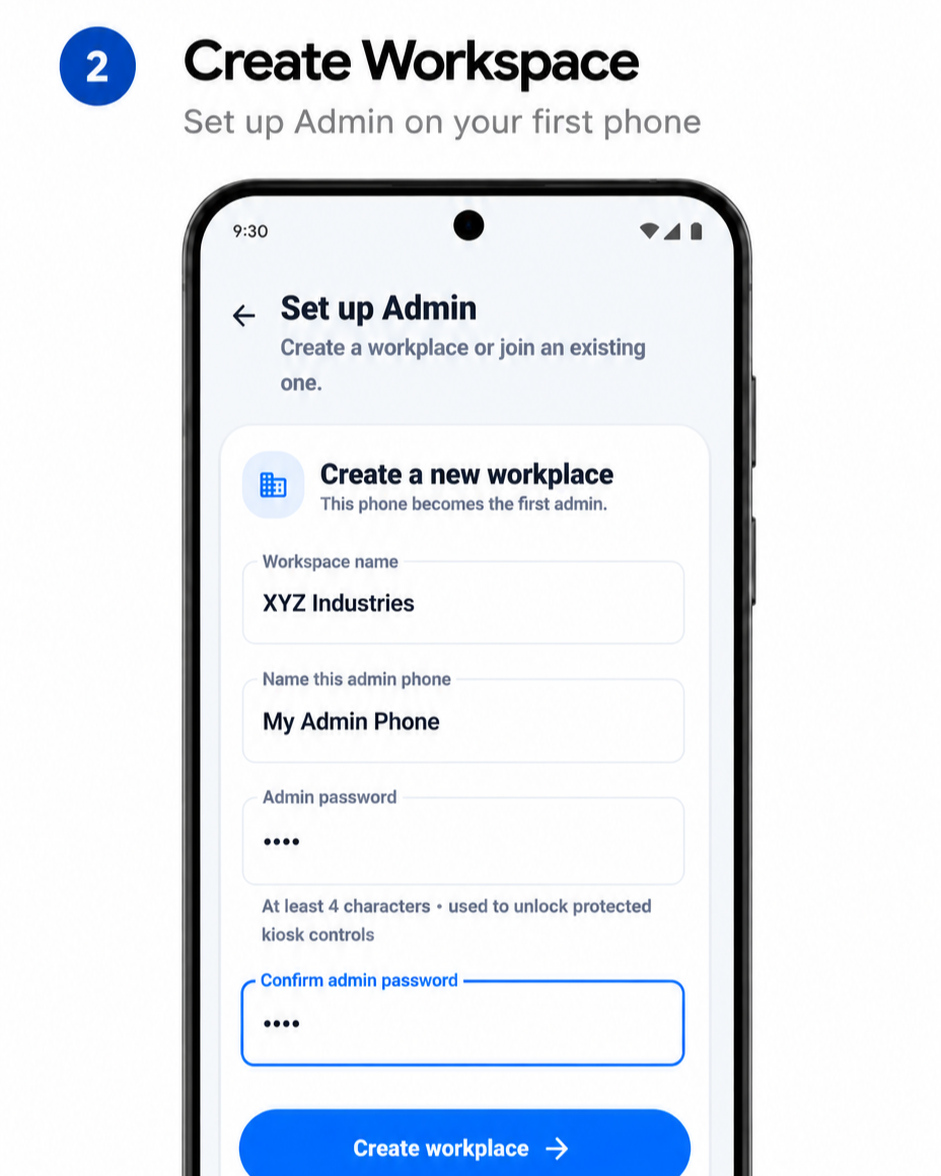
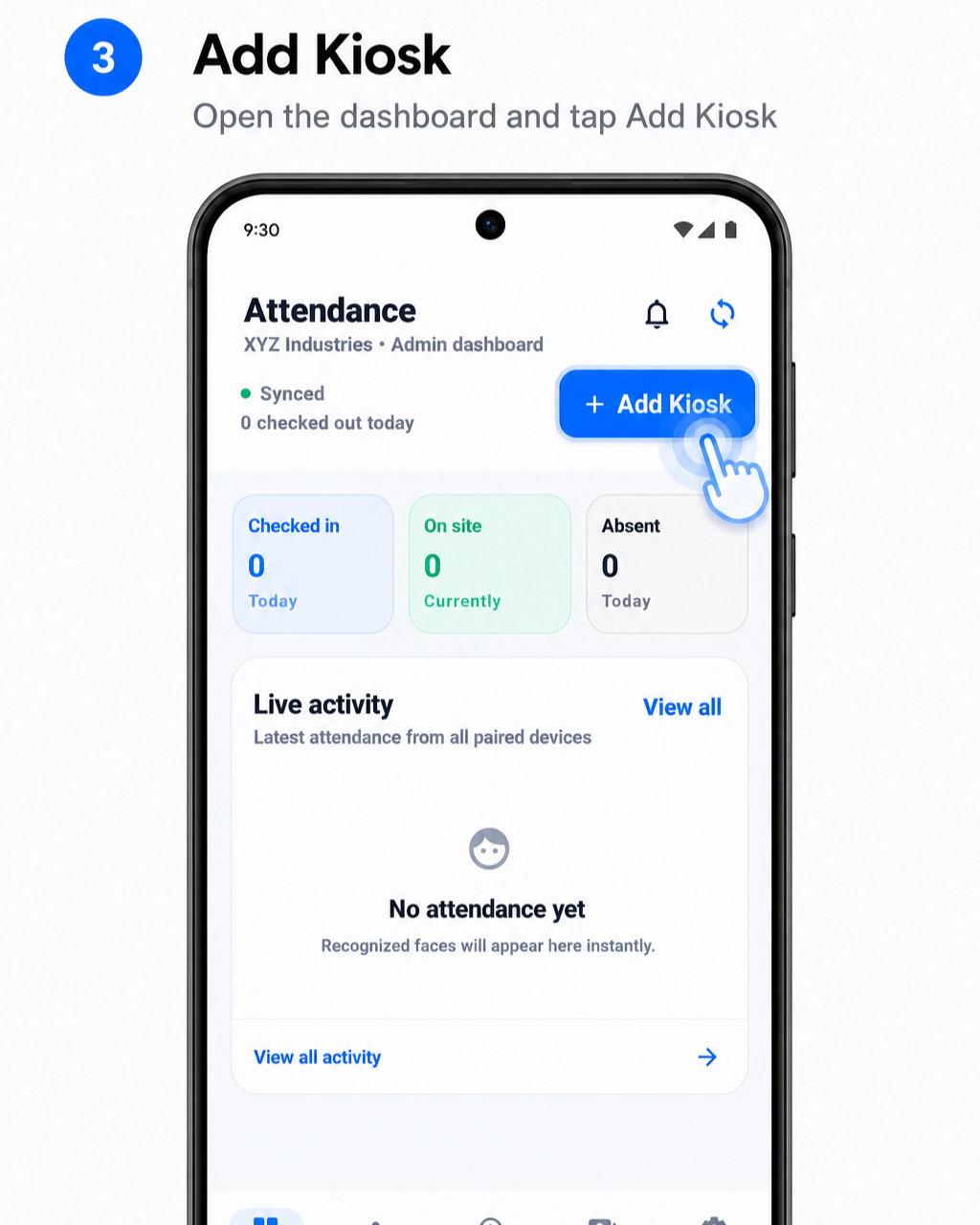
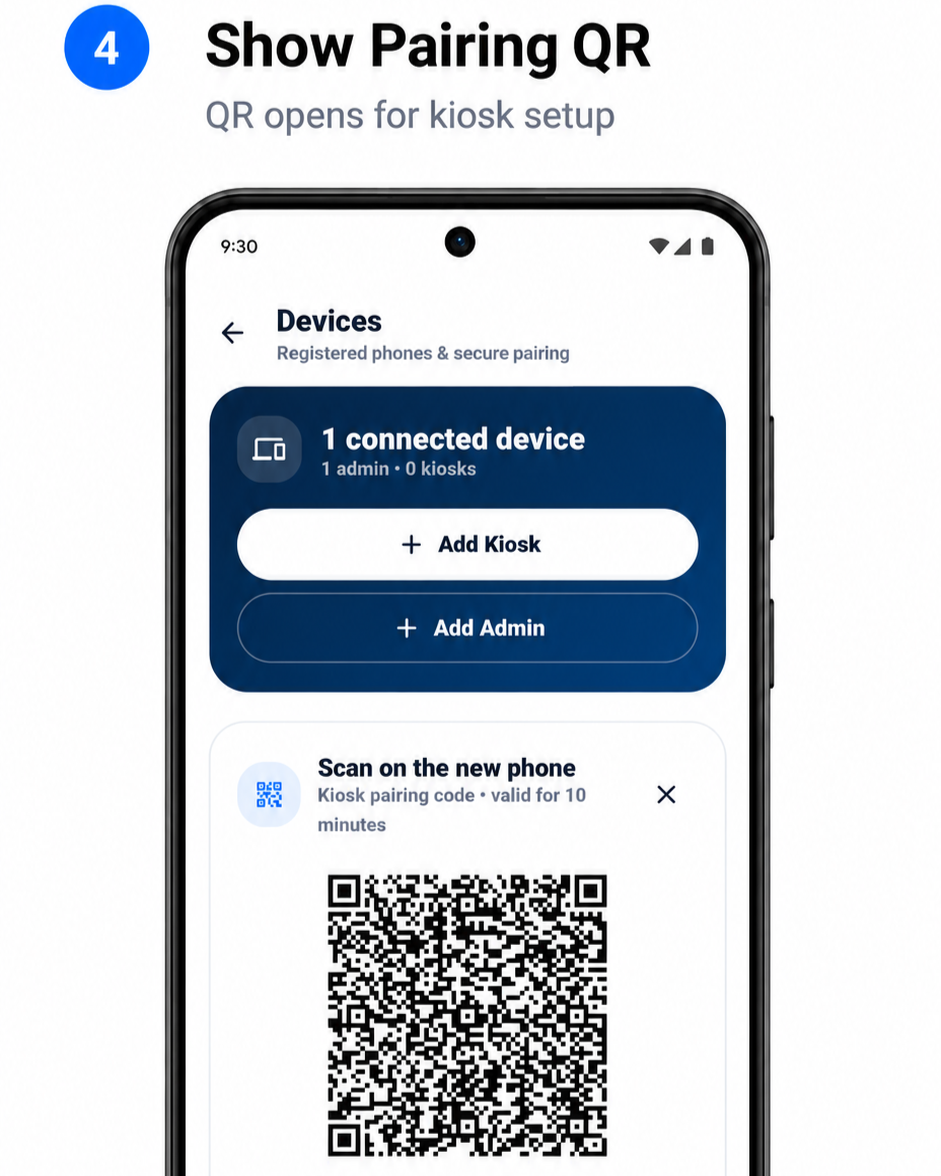
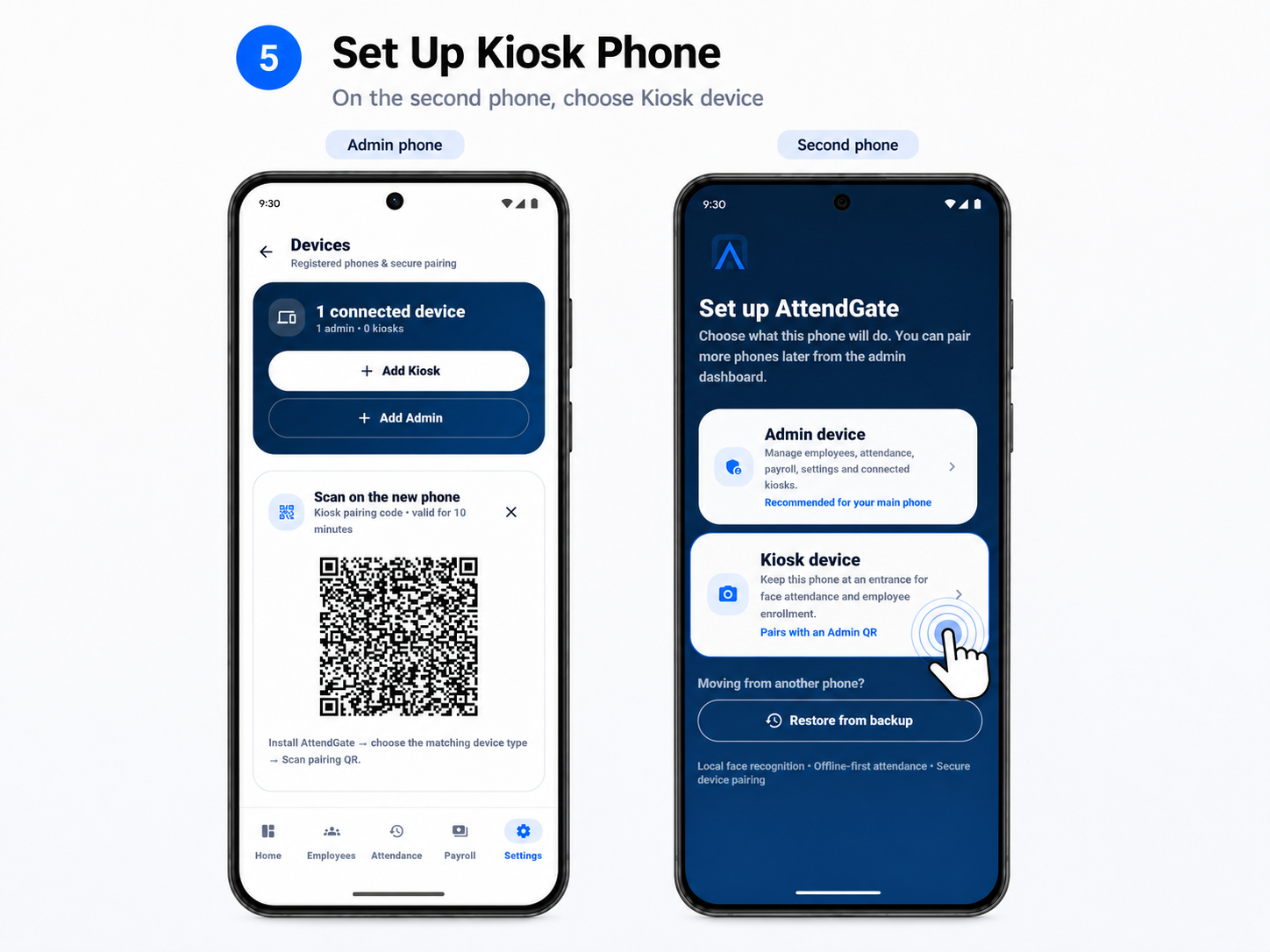
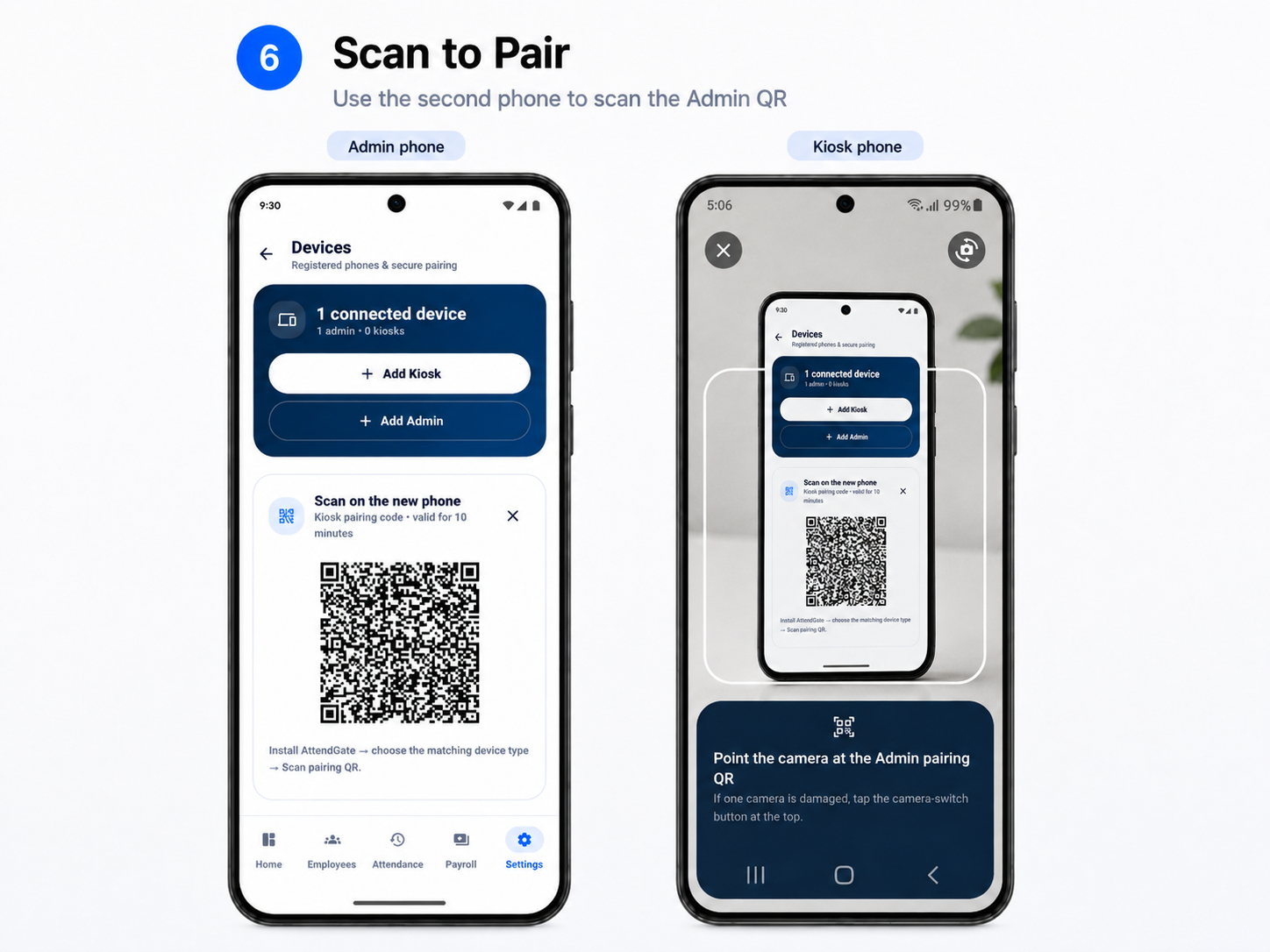
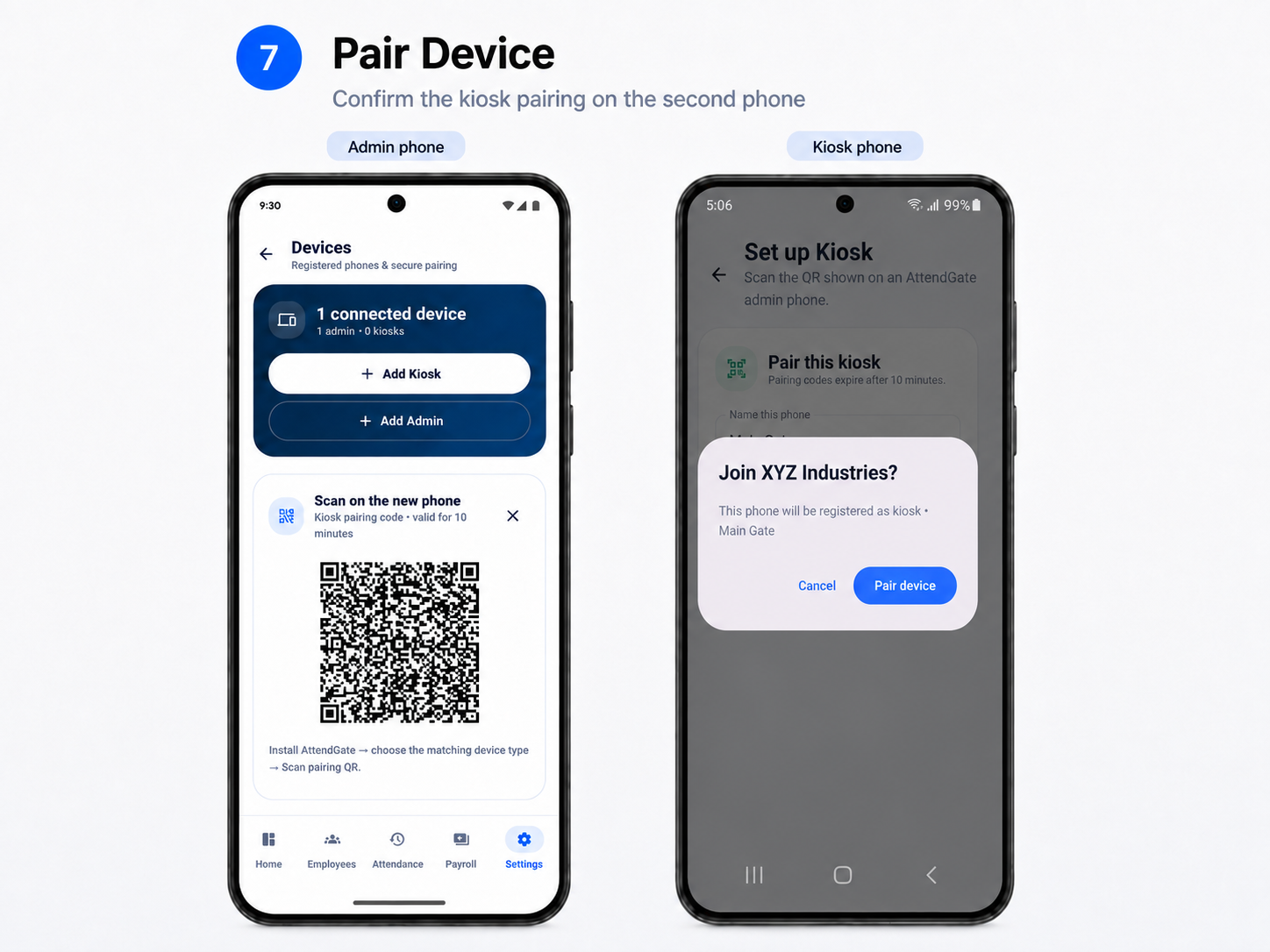
The Admin side generates a pairing flow and the second phone is connected as the Kiosk during setup.
AttendGate Plus is the yearly plan for larger teams and includes higher employee capacity with a cleaner kiosk experience.
Clean, simple and business-ready. Start free, pair a kiosk and manage everything from Admin.
Keep one Android phone at the gate as your face-attendance kiosk. Manage the same workplace from Android Admin or Web Admin.
Built for everyday workplaces that want a simple attendance system without installing a traditional biometric machine.
Turn a spare phone into the Kiosk and keep setup straightforward.
Manage employees, attendance, payroll and settings from Android or Web Admin.
Review records and export reports for day-to-day business workflows.
The Kiosk handles employee attendance at the entrance. Admin handles the workplace behind it.
Employees check in and out from one dedicated Android device.
Review employees, attendance, reports and payroll from the Admin side.
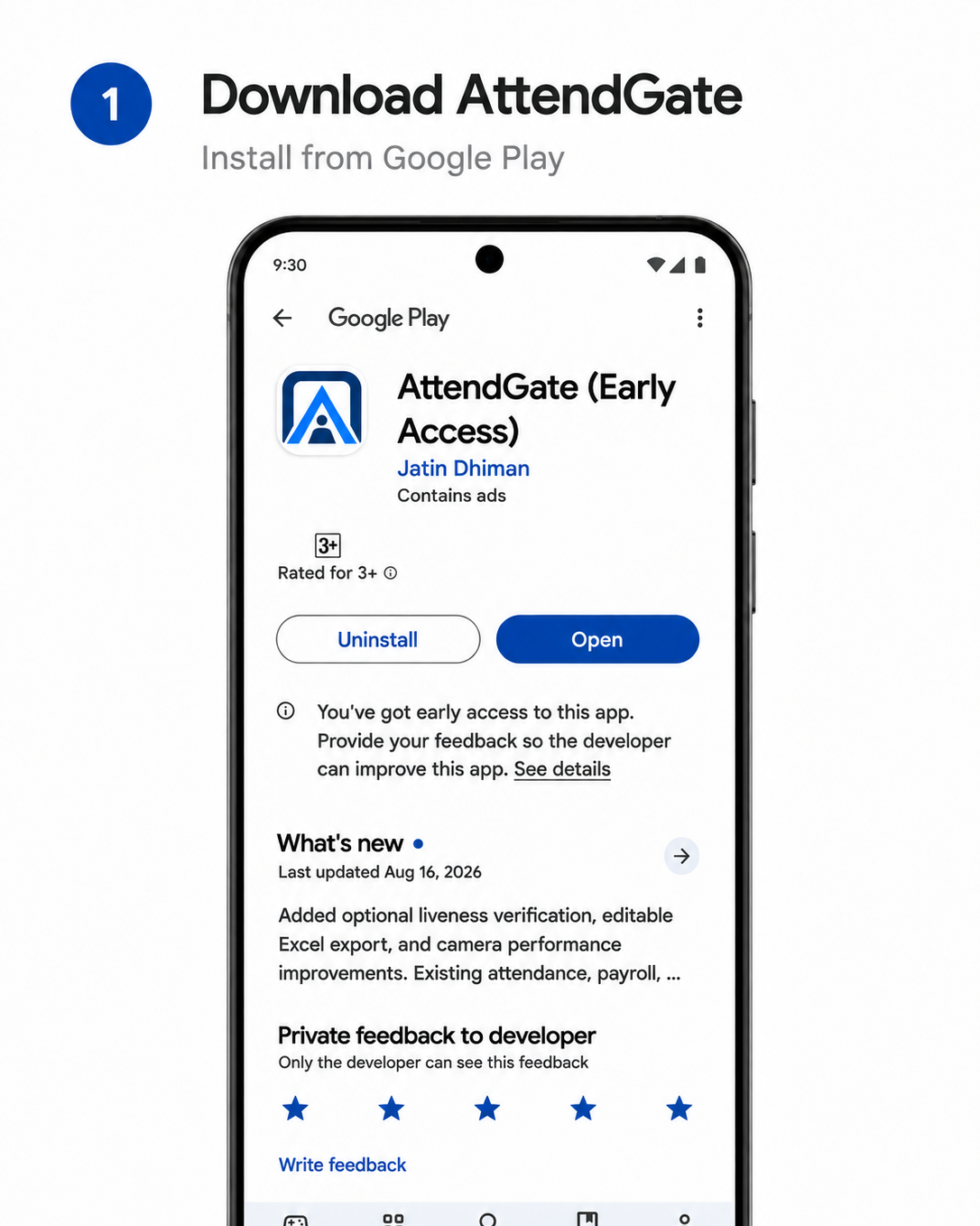
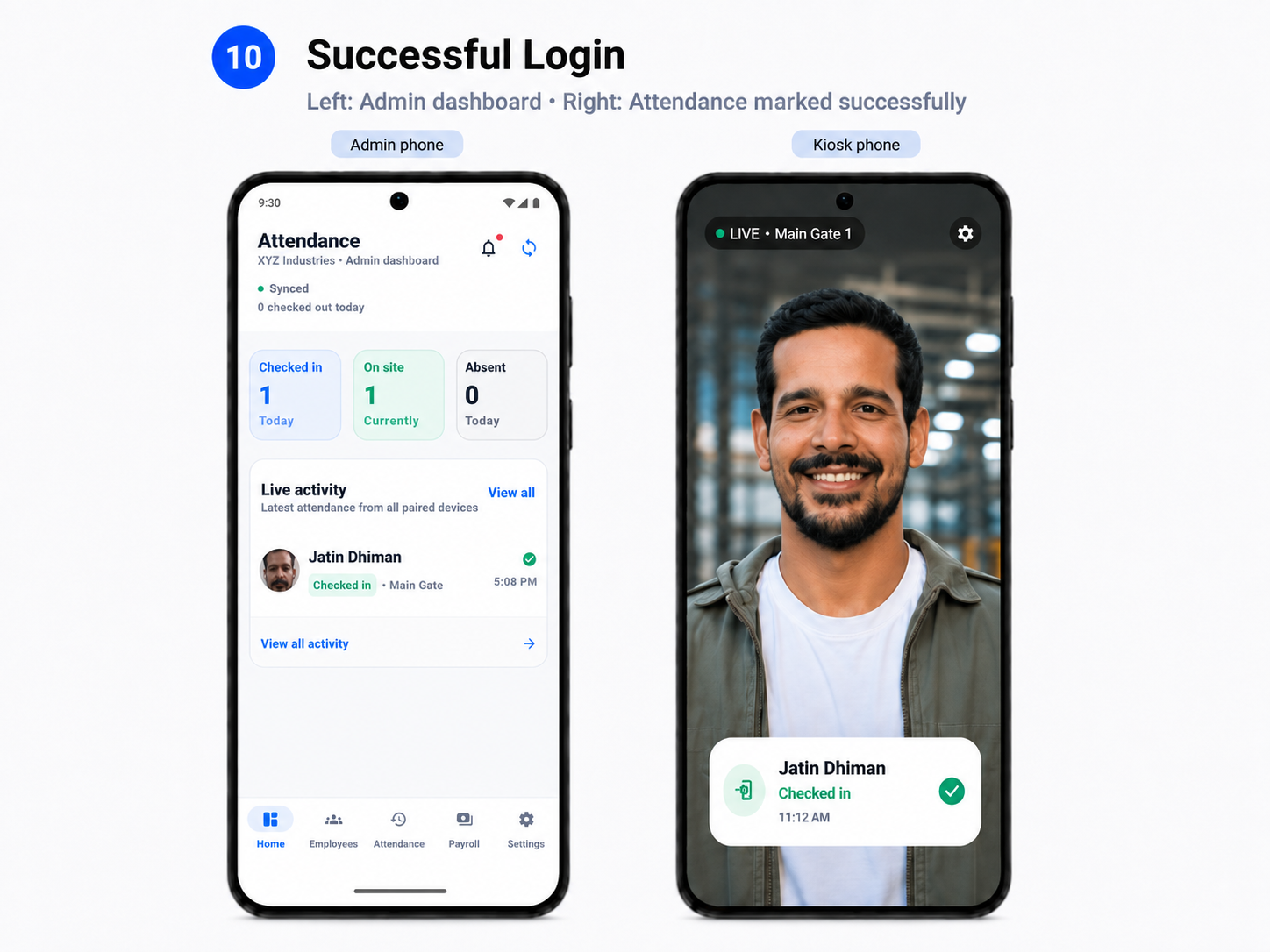
Swipe through the real AttendGate onboarding screens from installation to daily kiosk attendance.
The essentials are grouped by outcome so the product is easy to understand on a small screen.
Fast employee check-in and check-out from a dedicated Android kiosk.
Add employees, review daily logs and manage attendance history.
Use worked hours, salary settings and overtime logic for payroll workflows.
Generate Excel and PDF outputs for work beyond the app.
Admin and Kiosk devices work together as one connected workplace.
Manage the same workplace in a modern browser without another Admin phone.
Simple attendance at the counter or entrance.
Attendance, reports and payroll in one workflow.
A visible gate device without hardware-heavy installation.
Start free and upgrade when employee capacity grows.
Attendance recognition runs on the Android device used as the Kiosk.
Workplace devices connect through a dedicated setup flow.
Employees, records and devices remain under Admin control.
Restore and continuity features help protect workplace data.
For small workplaces getting started.
For larger teams and an ad-free kiosk experience.
*Reference India price. Google Play shows the final localized price, applicable taxes and renewal terms.
No. AttendGate uses a compatible Android phone as the Kiosk.
You can start with an Admin phone and one Kiosk phone.
Yes. Web Admin works in a modern browser while the Kiosk stays at the entrance.
The Admin side generates a pairing flow that connects the second phone as the Kiosk.
The yearly plan for larger teams with higher employee capacity and an ad-free kiosk experience.
Start free, pair a Kiosk and manage the workplace from Admin.